
How Can I Do Graphic Design Online?
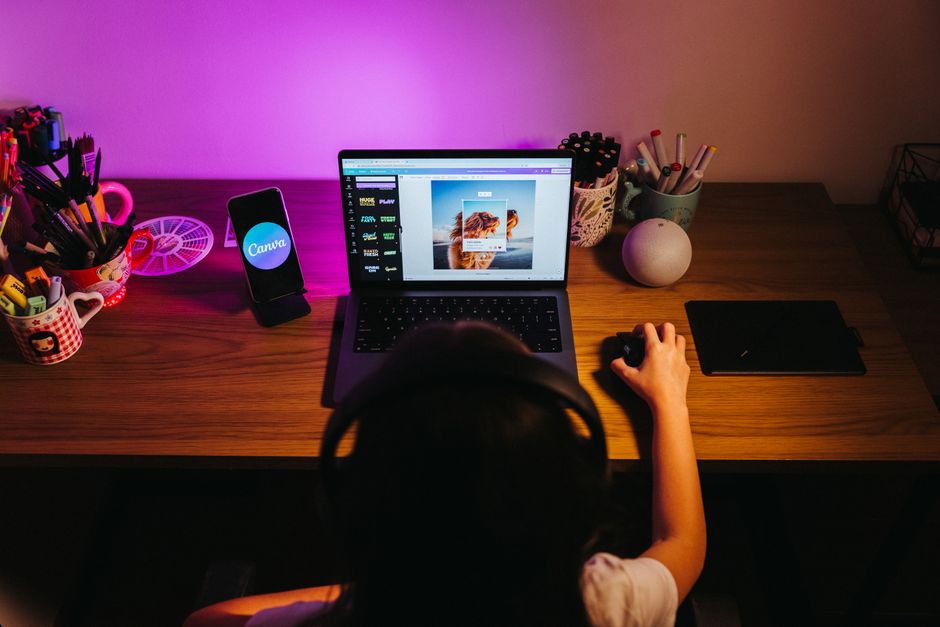
You can do graphic design online for free by choosing a browser-based editor, starting with a template or blank canvas, and exporting the finished design in a format suited to its use. Some editors let you open and export files without an account; account-based services can add cloud storage and version history. Keep an editable project file as well as a shareable export so later changes do not depend on a flattened image.
How can I do graphic design online for free?
You can do graphic design online for free by using the free features of a browser-based editor and checking its limits before you start. The practical trade-off is usually not whether you can make a design, but whether the feature you need—such as a particular template, asset, or export option—is included in the free plan.
Adobe Express Free includes more than 100,000 static and video templates, more than 4,000 fonts, standard editing tools, and over 1 million royalty-free Adobe Stock assets, according to Adobe’s free-plan details. It also lists 5 GB of storage and 10 days of version history. Those limits matter if you plan to return to a project later: storage and history are useful, but they are not a substitute for keeping a copy you control.
Use this beginner workflow to avoid wasted effort:
- Choose the output first. Decide whether the result is a social post, a logo draft, a flyer, or another item. That choice determines canvas shape and export format.
- Pick a template or blank canvas. Templates help you establish layout quickly; a blank canvas gives you more control. Replace sample wording and imagery rather than leaving placeholders in the final.
- Edit in a controlled order. Set the headline and essential information first, then adjust colors, fonts, and supporting visuals. This keeps the main message legible while you refine details.
- Save an editable version. Keep a project file in the editor’s native format when available, then export a separate file for sharing or print.
- Open the export before closing the project. Check that text, spacing, transparency, and image quality look right in the downloaded file.
The sequence is simple: decide where the design will appear, build for that size, and verify the file you actually intend to use. That catches more problems than polishing decorative details before checking the export.
Which online graphic design tools work without creating an account?
Photopea’s browser editor supports opening files from your device and exporting them through File > Export As, as described in its opening and saving tutorial. The supplied sources do not establish every editor’s current sign-up requirements, so verify account access on the tool itself before investing time in a design.
“Works in a browser” and “saves your work for you” are different claims. A local workflow starts with a file on your device and requires you to download or save your work deliberately. A cloud workflow can keep work associated with an account; Adobe Express Free, for example, lists 5 GB of storage and 10 days of version history. Those features can help recover recent changes, but a separate downloaded project or export gives you another usable copy.
Use this quick account-and-saving check before choosing:
- Test access: open the editor and see whether it allows a new canvas or file import without signing in.
- Test saving: make a small sample, then locate the save or export command and confirm where the file goes.
- Check editability: confirm whether the saved file retains layers and text, or is only a flattened image.
- Plan a backup: download the editable project where possible, then keep the final export in a clearly named folder.
For example, use a filename such as “club-event-poster-editable” for the project and “club-event-poster-share” for the distribution copy. The names make the two jobs clear: one is for revisions, one is ready to send.
Can I make a logo or social media post in a browser?
Yes, a browser editor can be sufficient for a logo draft or social media post when its canvas, editing controls, and export formats fit the job. Templates and standard editing tools can get a simple design moving quickly; the important decision is whether the downloaded result will remain useful at the sizes and in the contexts where it must appear.
For a post, build to the intended shape and keep the main message readable at a glance. For a logo, consider how it will scale and whether you need a transparent background. PNG supports transparency through an optional alpha channel, and the W3C describes PNG as a lossless format for raster images. SVG is a different option: the W3C describes it as resolution-independent, which makes it suitable for display at different sizes and for printing. Availability of SVG export depends on the editor and plan.
Use this export checklist before handing off a design:
- For photos: JPG is a compact option suited to photographs, according to Canva’s file-type guidance.
- For transparent graphics: PNG supports transparency, but check that the editor’s export settings include it. Canva notes transparent PNG can be restricted to eligible paid or special plans.
- For print: Canva says PDF Print is 300 dpi and supports bleed and crop marks; PDF Standard is 96 dpi. Choose based on the printer’s requirements, not simply the file extension.
- For scalable artwork: consider SVG when the editor can export it and the recipient’s workflow accepts it. W3C identifies SVG as a resolution-independent format used for web graphics and print.
- For future edits: retain the structured project file. Photopea explains that PSD preserves the document structure, while PNG and JPG exports are single-layer raster images; text in those exports becomes pixels and is harder to change.
An online editor is a good fit when the task is a straightforward graphic and its export meets the destination’s requirements. If a project depends on a particular professional workflow, advanced production controls, or repeated instruction, compare the editor’s limits with desktop software or a structured course before committing. The supplied sources describe specific free features and formats, but do not establish a universal threshold for when a course or desktop application is necessary.
Frequently Asked Questions
Will my design still be editable after I download it?
It depends on the format. Photopea says PSD preserves the document structure, while PNG and JPG exports are single-layer raster images; text in them becomes pixels and is harder to change. Keep the editor’s project file if you expect to revise the design.
What file format should I export for printing versus sharing online?
For online sharing, JPG suits photographs and PNG suits graphics that need transparency. Canva says PDF Print exports at 300 dpi and supports bleed and crop marks, while PDF Standard is 96 dpi. Some export options, such as transparent PNG, SVG, and CMYK PDF, are limited to eligible paid or special plans.
Can I use a free online design tool on a phone or Chromebook?
Adobe Express Free supports web, iOS, Android, and iPad, so it covers several device types. The available sources do not specify Chromebook compatibility for every editor; check that the tool runs in your browser and test saving or exporting before building a full project.
Sources
Read next

Is a Graphic Design Bootcamp Worth It?
A graphic design bootcamp is worth it when it teaches fundamentals, provides critique, and builds case-study portfolios without promising a job.
Should I Repair, Recoat, Refinish, or Replace a Damaged Hardwood Floor?
A practical framework for deciding when hardwood needs a recoat, refinishing, targeted board replacement, or full replacement after water damage.
Are Septic Tank Additives Useful or Harmful?
Learn when septic additives are unnecessary, risky, or worth discussing with a septic professional.

What Courses for a 45 Year Old Woman Are Worth Choosing?
Choose courses for a 45 year old woman by matching a target job to its credentials, cost, schedule, and local funding.